Smart notes, connected ideas.
Capture a thought, shape it into a page, and link it to the ideas that matter.


A CALMER WAY TO WORK
A thoughtful home for your notes, projects, and everything you want to remember.
Explore SoulSpace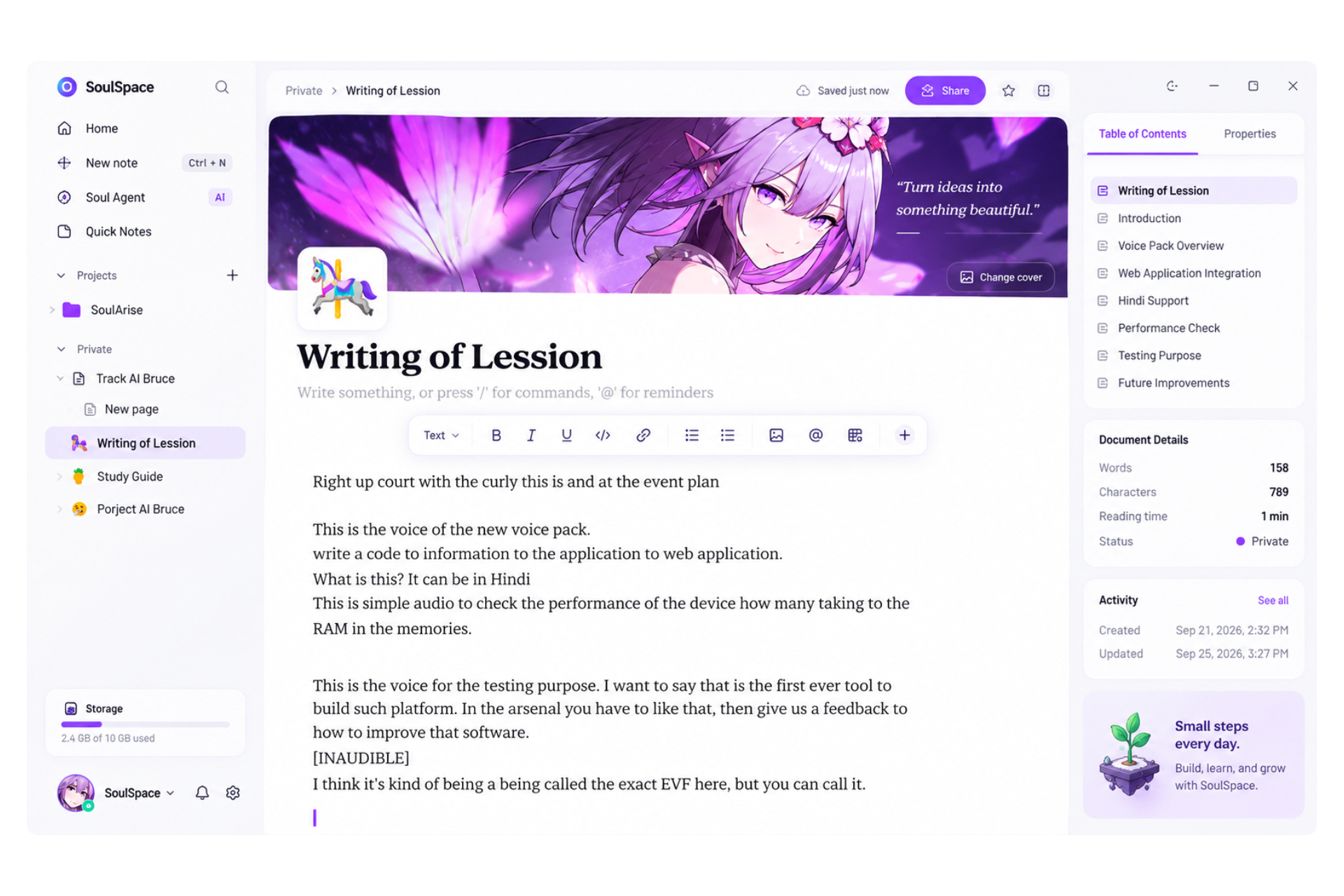
A SPACE FOR ALL THE PIECES
A thoughtful home for your notes, daily plans, and projects taking shape.
Capture a thought, shape it into a page, and link it to the ideas that matter.
Keep tasks, habits, and quick lists together, with a clear view of your progress.

Bring projects, boards, and structured information into one clear view.

See upcoming events and important dates alongside the work they belong to.

Connect notes, tasks, and helpful AI actions to keep busywork light.

Keep your workspace close to home with local-first storage and a simple sense of ownership.

A LITTLE MORE ROOM
A note can be a thought in passing or the start of something bigger. SoulSpace gives both somewhere to belong—without asking you to change how you think.
Drag a note or folder into a folder · Select a note, then tap a folderTap a note or use Move on a folder, then tap a destination
12 items
8 items
24 items
16 items
10 items
7 items
6 items
14 items
9 items
4 items
A CLOSER LOOK AT SOULSPACE
A calm workspace for everything from a quick note to a project you care about.
01A QUIET PLACE TO WRITE
Capture a passing idea or shape it into a page, with a focused editor that gives your words room.

02ROOM FOR THE BIGGER PICTURE
Bring related pages into a project, so the notes, context, and next steps stay close.
 Works offline
03YOUR WORK, YOURS TO KEEP
Keep your workspace on your device, work offline, and export a copy whenever you need one.
A WORKFLOW THAT FLOWS WITH YOU
A good workflow keeps ideas moving. SoulSpace brings notes, projects, and helpful AI into one calm flow.
A visual example of how a thoughtful workflow can come together.
THE WORKSPACE
A quiet editor for your thoughts. A flexible home for your projects. Just enough structure to make the next thing easier to find.
Capture an idea in a private note, then give it context with a rich editor, page links, and a place in your favorites.
Meet the workspaceA thought doesn’t need to be finished to be worth keeping.
Link related pages as ideas find their way into a project.
NOTES, WITH CONTEXT
Bring related pages together under a project. Give it a home, keep the details close, and let the work take shape one page at a time.
A home for the ideas, references, and small discoveries worth keeping.
Projects keep their own home page and nested notes, so the context stays with the work.
LOCAL BY DESIGN
SoulSpace is designed around a local-first experience. On desktop, notes are stored in a local SQLite database; in the browser, a local storage fallback keeps the core workspace close at hand.
THOUGHTFULLY BUILT
The pieces that make a workspace feel dependable, designed to work together.
Private notes, page links, and nested pages inside your projects.
A customizable starting page and a clear place for related notes.
Search your workspace, pin favorites, and keep moving.
Built with Rust, Tauri, React, and a local-first architecture.
Useful structure.
Room to make it yours.
A FEW GOOD QUESTIONS
Clear answers about what SoulSpace is today.
SoulSpace is a calm workspace for private notes and projects. Write in a rich editor, organize related pages, and keep your work close.
It starts with notes and projects: standalone pages, nested project pages, favorites, search, and export. The workspace continues to grow.
On desktop, SoulSpace stores your notes in a local SQLite database. In a regular browser, it uses local storage. Your workspace is designed to stay useful offline.
The core notes and project workspace is built for offline use. Features that rely on connected services may need an internet connection.
Yes. Export an individual page as Markdown, or export a project as a ZIP containing its pages and a manifest.
SoulSpace is built as a desktop app with Tauri, and also has a browser mode. Check the project repository for current release and platform details.
SoulSpace is currently an unpublished project. Pricing and release details have not been announced.
Your ideas, tasks, and projects.
One personal space.
Capture ideas
Stay organized
Work smarter